RTX 5090, DGX Spark or Mac Studio: which machine to choose for running AI locally
By Kike Gandia · AI & Security · 10 min read
More and more companies want a language model that can work with their contracts, their code or their records without anything leaving the building. In 2026 there are three obvious ways to set one up on a desk: an NVIDIA GeForce RTX 5090 in a PC, an NVIDIA DGX Spark or a Mac Studio with M5 Ultra. All three cost thousands of euros, and all three are marketed as the machine for local AI.
Compare them on TFLOPS and you'll never reach a decision: each vendor picks the precision and the scenario that flatter it most. For generating text with an LLM, two numbers matter, and both are on the spec sheet: how much fast memory the machine has and how fast it can read it. The first decides which models you can load. The second, how fast they answer you.
- 32 GB · 1,792 GB/s
- RTX 5090 (GDDR7, the fastest and the smallest)
- 128 GB · 273 GB/s
- DGX Spark (unified LPDDR5X, four times the memory)
- 256 GB · 1.2 TB/s
- Mac Studio M5 Ultra (unified; 512 GB announced)
The only math that matters
A language model generates text one token at a time, and for every token it has to read all of its active weights from memory. If the model takes up 20 GB, every word it writes means moving 20 GB from memory to the compute units. Almost always, compute is waiting on memory, not the other way around.
The speed ceiling. Maximum tokens per second = memory bandwidth ÷ GB read per token. A 19.8 GB model on an RTX 5090 (1,792 GB/s) can't exceed roughly 91 tok/s; on a DGX Spark (273 GB/s), roughly 14. In practice, llama.cpp, MLX or vLLM land at 55% to 75% of that ceiling.
Two caveats change everything. First: if the model doesn't fit, the math no longer holds. On a 5090, whatever doesn't fit in its 32 GB spills over to the PC's RAM, which reads at about 90 GB/s (dual-channel DDR5), twenty times slower. On the Spark and the Mac there's nowhere to spill to: either it fits or it won't start. Second: mixture-of-experts (MoE) models, such as gpt-oss-120b or Qwen3 235B, take up a lot of memory but read only a fraction of it per token. They are as big as a large model and run at the speed of a small one.
The hopper bench: three machines, one model
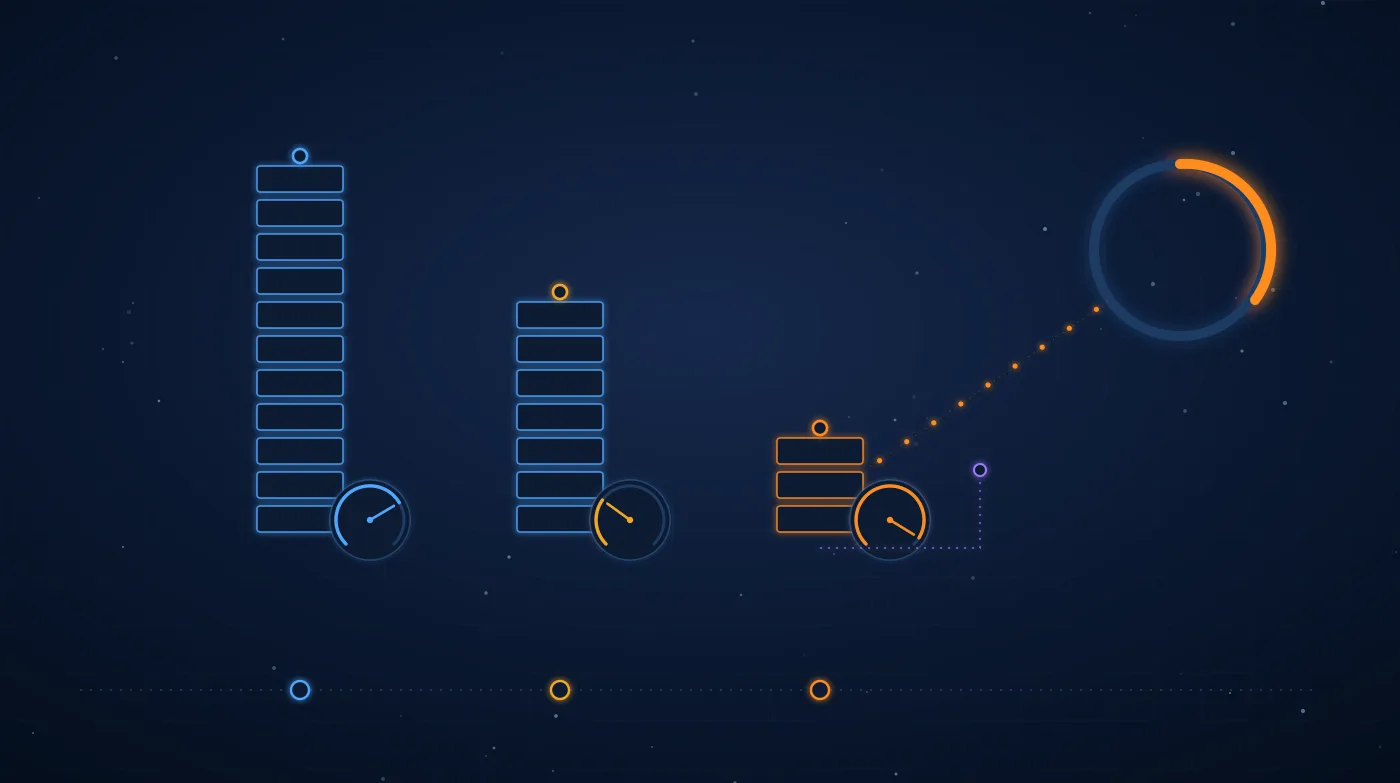
The figure turns that math into a machine you can look at. Each hopper is a computer: its height is its memory and the width of the chute it empties through is its bandwidth. When you pick a model, each hopper's gauge tube fills with its weights and the dial shows the tokens-per-second ceiling. To the right of the 5090 sits the RAM of the PC that hosts it, connected by a much narrower duct: that's where anything that doesn't fit on the card goes.
Interactive "hopper bench" figure. Three hoppers on a bench represent three machines: a Mac Studio M5 Ultra with 256 GB of unified memory at 1.2 TB/s, an NVIDIA DGX Spark with 128 GB at 273 GB/s, and an RTX 5090 with 32 GB of GDDR7 at 1,792 GB/s, alongside the PC's RAM (128 GB of DDR5 at about 90 GB/s). Each hopper's height is its memory and the width of its chute is its bandwidth. When you pick a model (Llama 3.1 8B, Qwen3 32B, Llama 3.3 70B, gpt-oss-120b or Qwen3 235B-A22B), each hopper fills with its weights and a logarithmic dial shows the theoretical tokens-per-second ceiling: bandwidth divided by the GB read per token. If the model doesn't fit, a red warning light comes on; on the 5090, whatever doesn't fit overflows into the PC's RAM. The figure's values are the ones in the table below.
Theoretical generation ceiling (tokens/s), without KV cache
| Model (quantization) | Size / read per token | Mac Studio M5 Ultra | DGX Spark | RTX 5090 + RAM |
|---|---|---|---|---|
| Llama 3.1 8B (Q4_K_M) | 4.9 GB / 4.9 GB | 245 | 56 | 366 |
| Qwen3 32B (Q4_K_M) | 19.8 GB / 19.8 GB | 61 | 13.8 | 91 |
| Llama 3.3 70B (Q4_K_M) | 42.5 GB / 42.5 GB | 28 | 6.4 | 7.4 (10.5 GB in RAM) |
| gpt-oss-120b (MXFP4, MoE) | 63 GB / 2.8 GB | 429 | 98 | 62 (31 GB in RAM) |
| Qwen3 235B-A22B (Q4_K_M, MoE) | 142 GB / 13.2 GB | 91 | Doesn't fit | 8.7 (110 GB in RAM) |
Published measurements line up with these ceilings. With a well-tuned llama.cpp, the DGX Spark reaches around 60 tok/s with gpt-oss-120b (62% of the ceiling) and stays at 4–7 tok/s with dense 70B models. A 5090 generates around 60 tok/s with a dense 32B at 4 bits (two-thirds of the ceiling) and drops to single digits as soon as a dense model overflows its VRAM. The table won't predict the exact figure for your case; it tells you what order of magnitude to expect before you buy.
Each machine in one sentence
- RTX 5090 The fastest, as long as the model fits
- At 1,792 GB/s it is unmatched for models up to about 30 GB, and prompt processing (prefill) is several times faster than on the other two. Its limit is 32 GB: a dense 70B no longer fits and crawls. For large MoE models, offloading the experts to the PC's RAM works surprisingly well.
- DGX Spark Lots of memory, low read speed
- 128 GB lets you load almost any open model, but its 273 GB/s makes it slow with large dense models. It shines with MoE (gpt-oss-120b), with the full CUDA ecosystem, with fine-tuning and with FP4. Two units can be linked over their ConnectX-7 networking for a combined 256 GB.
- Mac Studio Capacity and speed together, at the price of both
- It's the only one of the three that combines a lot of memory with a lot of bandwidth: 256 GB at 1.2 TB/s, with 512 GB announced. It's quiet and power-efficient. The trade-off: it's outside CUDA (you work with MLX or llama.cpp on Metal) and it's by far the most expensive.
What the table doesn't tell you
- Reading the prompt isn't the same as writing. Processing a long document before answering (prefill) is compute-bound, not memory-bound. There the 5090 comfortably beats the other two: if your use case is summarizing 80-page contracts, time to first token matters more than tokens per second.
- Context takes up memory too. The KV cache of a long conversation can add up to tens of GB. A model that just fits with 4,000 tokens of context no longer fits with 100,000.
- Software decides half the outcome. CUDA has vLLM, TensorRT-LLM and almost the entire fine-tuning ecosystem; the Mac has MLX and llama.cpp. Firmware and llama.cpp updates have moved the Spark's numbers by more than 20% in a year.
- Power and noise. The 5090 alone can draw 575 W in a tower PC; the Spark fits in the palm of your hand and the Mac Studio is barely audible. For a machine that will be running all day in an office, that counts.
- Concurrency. The figures are for a single user. If you're going to serve a whole team, the math becomes about batching and memory for several KV caches at once, and that's a different conversation.
What they cost (October 2026)
Memory prices have soared in 2026, and the prices of all three machines have gone up several times in just a few months. Treat these figures as a guide and check the manufacturer's store before you buy.
| Machine | Reference price | What's included |
|---|---|---|
| RTX 5090 | €2,500 to €6,000 at Spanish retailers, depending on model and week | The card only: you need a PC to match, and 128 GB of DDR5 costs considerably more today than a year ago |
| DGX Spark | $4,699 official price since February 2026; roughly €4,600–4,800 in the EU | The complete system with 128 GB and 4 TB. There are reports of further increases in October, not yet confirmed on NVIDIA's store |
| Mac Studio M5 Ultra | From about €6,600 with 96 GB (European price); about €11,000 with 256 GB | The complete system. The 512 GB configuration has been announced without a price |
Which one to choose
- 1 — Choose the model first, not the machine
Which model you need and with how much context. That sets how many GB have to fit. Everything else comes after. - 2 — Up to ~30 GB: RTX 5090
8B to 32B models, coding assistants, RAG over internal documentation. It's the fastest option and, with a PC you already own, the cheapest. - 3 — Large MoE models and CUDA development: DGX Spark
gpt-oss-120b and similar models at a usable speed, the same software that will later run on a DGX server, and the ability to fine-tune models. Avoid it if you're going to use dense models of 70B or more. - 4 — Huge models or large dense ones: Mac Studio
If you need a dense 70B that runs comfortably, or an MoE larger than 128 GB in a single box, it's the only one of the three that does it without spilling over into slow memory.
Local doesn't mean secure
Many companies look at these machines for security reasons: keeping personal data, trade secrets or source code away from a cloud AI provider. It's a good reason, and it greatly simplifies the GDPR side of things. But swapping the cloud for a machine in the office doesn't remove the risk; it just moves it to something you now manage yourselves.
- Network Open inference servers
- Ollama, LM Studio or vLLM listen on an HTTP port that requires no authentication by default. Exposed to the office network, or worse, to the internet, anyone can use the model, read what others send it or load a different one.
- Models Weights of dubious origin
- A model downloaded from a public repository is third-party software. Older pickle-based formats execute code when loaded, and a model fine-tuned by a stranger can come with behavioral backdoors.
- Data What the model can see
- A local RAG or agent with access to the entire shared folder will tell whoever asks whatever is in it. Document permissions have to reach all the way to the model.
- Logging No logs, no investigation
- If nobody logs who asked what, the day something leaks there will be no way of knowing how. A local AI needs the same logging as any other internal service.
If you're building an assistant on one of these machines, it's worth deciding up front which data can go into it (can I upload this to AI?) and which tool will serve it (Docker Model Runner vs. Ollama). And once it's running, test it the way an attacker would: that's what we do in our AI application pentesting and as part of our secure AI use in the enterprise service.
Related service
secure use of AI in the enterprise
Topics
#Local-AI #LLM #RTX-5090 #DGX-Spark #Mac-Studio #Apple-Silicon #llama-cpp #Ollama #Hardware #Data-Sovereignty
Keep reading
- Anatomy of 0data: dissecting a data and AI platform that never leaves your house
- How an AI application is attacked: prompt injection and tool-using agents
- Jev and System 1 models: when AI stops writing and starts deciding
- Human biocomputing: security and organoid intelligence in the new AI era
- Transforming industries with AI, automation and cybersecurity
Sources
- NVIDIA — DGX Spark: specifications (GB10, 128 GB LPDDR5X, 273 GB/s)
- NVIDIA — GeForce RTX 5090: specifications (32 GB GDDR7)
- Apple — Mac Studio: technical specifications
- TechPowerUp — NVIDIA raises DGX Spark pricing to $4,699 (February 2026)
- Engadget — Mac Studio with M5 Ultra review
- Geeknetic — The average price of the RTX 5090 in Spain
- llama.cpp — Project and community performance benchmarks