Docker Model Runner vs. Ollama
By Kike Gandia · AI & Security · 20 min read
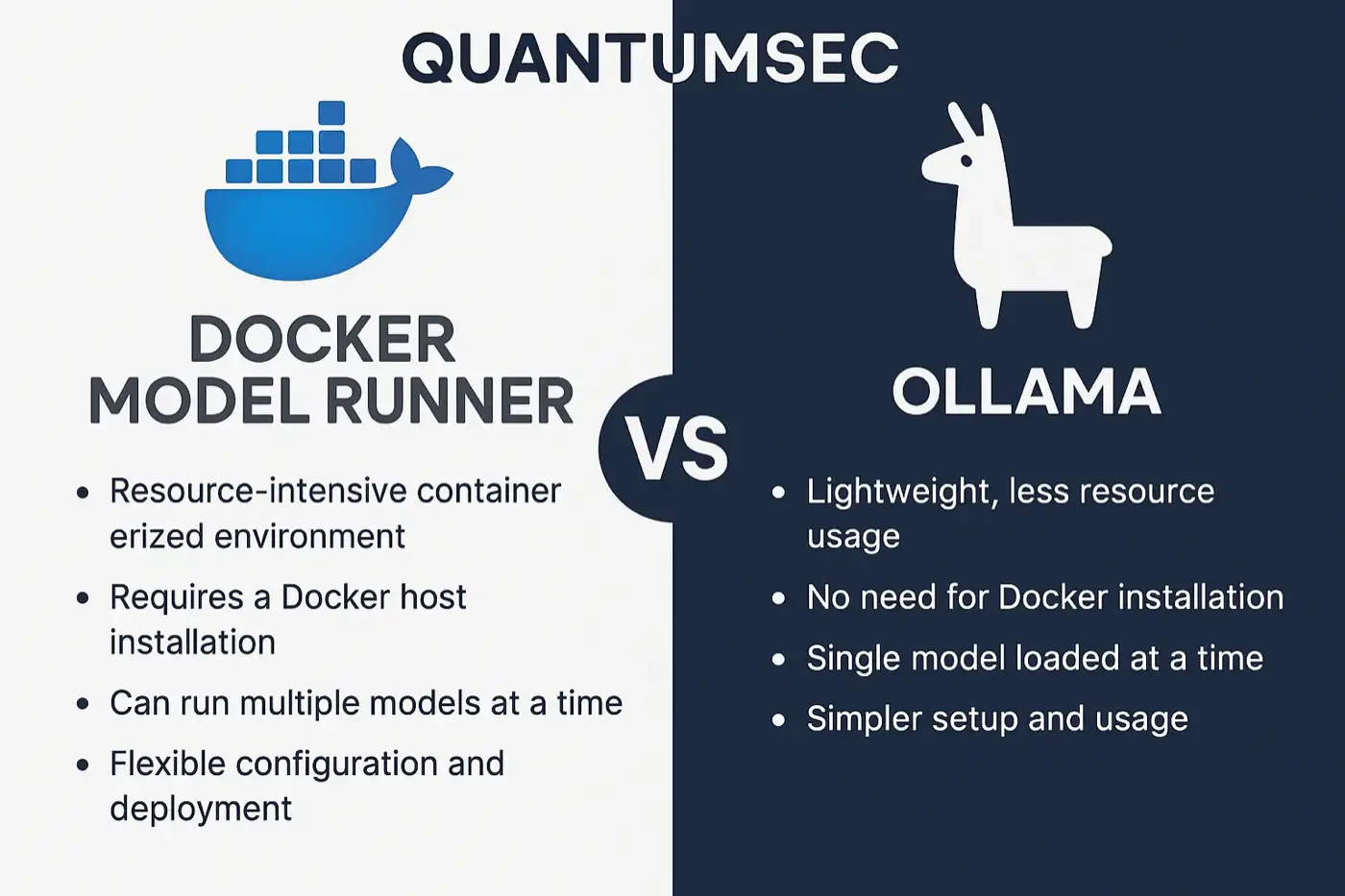
Technical comparison: Docker Model Runner vs. Ollama
1. Detailed technical comparison: Docker Model Runner vs Ollama
Architecture: Docker Model Runner is a feature built into Docker Desktop (from version 4.40) that treats AI models as native Docker artifacts. It doesn't run the model inside a container; instead, it uses a native inference server on the host (based on llama.cpp). This gives direct GPU access (Metal/MPS on Mac) without virtualization overhead. Models are packaged and distributed as OCI artifacts (that is, similar to Docker images on Docker Hub) with versioned tags, which makes them easy to plug into existing pipelines (registry, versioning, etc.). Ollama, on the other hand, is a standalone (open source) tool designed specifically for running LLMs locally. It works as a local service that also uses the llama.cpp library or other inference backends, but outside the Docker ecosystem. Ollama provides a cross-platform binary/daemon that includes its own API server and CLI for managing models (downloading, running, etc.), and it runs directly on the host (or optionally in a container) with its own runtime.
Platform support: Docker Model Runner is currently in beta and only supports macOS on Apple Silicon hardware (M1, M2, M3, M4). Support for Windows with NVIDIA GPUs is expected in 2025 (Docker Desktop for Windows). On macOS, Model Runner uses Metal Performance Shaders for GPU acceleration. It isn't available on Linux yet (at least at the time of writing). By contrast, Ollama is cross-platform: it offers native installers for macOS (Apple Silicon and Intel), Linux and Windows. On macOS, Ollama can also use the Apple Silicon GPU via llama.cpp (MPS), and on Windows/Linux it can use the CPU or compatible GPUs (for example, NVIDIA CUDA if built with support, although acceleration on Windows may require WSL or be less straightforward). In other words, Ollama covers more environments beyond the Mac, while Model Runner focuses, for now, on Macs running Docker.
Performance: Both aim to maximize local performance by avoiding remote calls. Docker Model Runner runs inference on the host, with direct access to the Apple Silicon GPU, eliminating network latency and enabling fast loading (models are loaded into memory on demand and unloaded when not in use). The result is very low response times and the ability to iterate quickly during development. Ollama likewise runs models locally and can take advantage of acceleration (MPS on Mac; on systems with CUDA, GPU support can in theory be compiled in). In informal tests, both can achieve similar performance when using llama.cpp as the backend; however, if Ollama runs inside a Docker container on a Mac, it won't be able to use the Apple GPU because of virtualization limitations. Ollama's recommendation is to run it directly on the host to take advantage of the GPU on a Mac. On Windows with an NVIDIA GPU, Model Runner (once available) can be expected to deliver native performance via CUDA, whereas Ollama on Windows may currently be limited to the CPU (or to using its Docker image with WSL2 + NVIDIA, which is complex). As for memory usage, Model Runner handles models efficiently: it downloads them once (they persist in a local cache) and only loads them into RAM when they're used. Ollama also keeps a local cache of downloaded models in ~/.ollama and loads them into memory as needed; both support quantized models to reduce requirements. In short, on macOS both offer fast inference with no network latency, but Model Runner provides tighter GPU integration within Docker Desktop, while Ollama needs to run natively (outside Docker) for optimal performance on Apple Silicon.
Ease of use: Docker Model Runner fits into the Docker workflow, which is an advantage for developers who already know Docker. It's managed with familiar commands (docker model pull/run/list/...) without needing new tools. For example, managing a model is as simple as managing an image: docker model pull ai/my-model to download, docker model run ai/my-model "prompt" to run inference, and so on. That lowers the learning curve if you already know Docker. It also exposes OpenAI-compatible API endpoints for integrating into applications in a standard way (as we'll see later). Ollama, for its part, offers its own CLI (ollama run, ollama pull, etc.) and a local server. Installation is simple (a single package) and doesn't require Docker. For someone not used to Docker, Ollama may feel simpler, since it's "install and go". Ollama also has a library of preconfigured models that can be installed with simple commands (e.g. ollama run llama2 automatically downloads and launches LLaMA 2). In short: if you use Docker every day, Model Runner will feel very natural; if you prefer a dedicated, standalone tool, Ollama may seem more direct. Both are easy to use, but in different contexts.
Integration and ideal use cases: Docker Model Runner shines in containerized development environments and DevOps workflows. For example, in an application made up of multiple Docker services, you can use Model Runner to add a local AI service without standing up extra infrastructure: applications inside containers can call Model Runner's internal endpoint and get AI capabilities locally. This makes it easier to test LLM-powered applications in CI/CD while preserving privacy (data and prompts never leave the environment) and avoiding API costs. In addition, distributing models as OCI artifacts in registries lets teams version models and package them in CI/CD pipelines just like any other artifact. An ideal use case for Model Runner is companies that want to prototype with LLMs embedded in their applications, using local infrastructure with Docker Compose or Kubernetes (in the future) and needing reproducibility (same model, same version everywhere). It's also ideal for front-end/back-end developers who want to consume a local OpenAI-style endpoint without depending on the cloud. Ollama, meanwhile, is ideal for quick local experiments, individual users and offline scenarios on any OS. A developer who wants to try different open-source models locally, compare answers or interact via the command line will find Ollama a simple tool (for example, for role-play, coding assistants, chatting with local data, etc., as the community points out). It can also be integrated into applications through its HTTP API (localhost:11434/api/generate), although that API is Ollama-specific. Ollama is a good fit where Docker isn't present or you don't want to set it up (for example, on a Linux workstation without a Docker environment, or for users less familiar with containers).
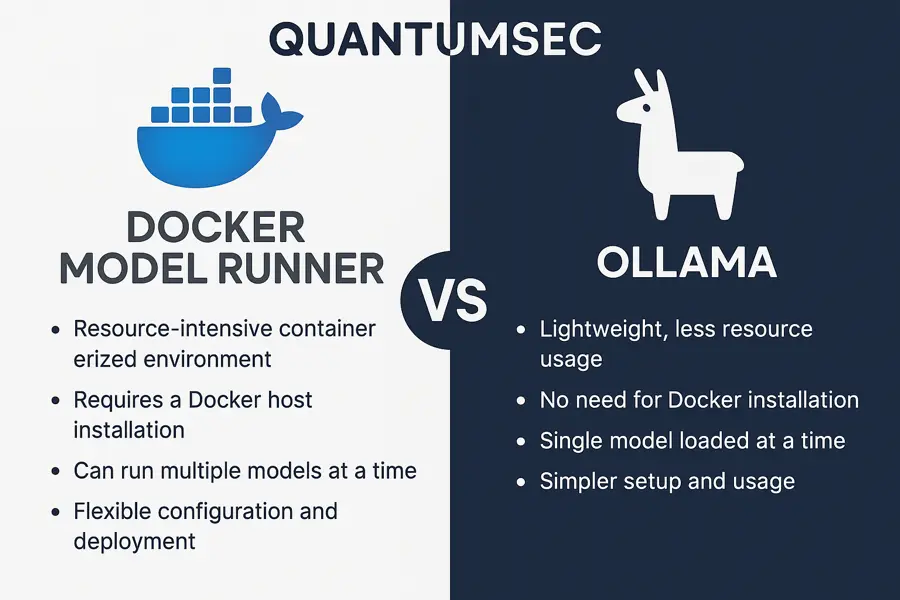
2. Step-by-step guide: using Docker Model Runner on macOS (Apple Silicon)
Below is a guide to getting started with Docker Model Runner on macOS with Apple Silicon:
Step 1: Install/update Docker Desktop – Make sure you have Docker Desktop 4.40 or later installed on your Apple Silicon Mac. Docker Model Runner is a component of Docker Desktop, so it isn't installed separately. After installing, check under Preferences -> Features that "Model Runner" is enabled (it should be by default).
Step 2: Check that the CLI is available – Open a terminal and run:
$ docker model statusThis command checks whether the Model Runner service is active. You should get a "Running" status indicating that Docker Desktop has the feature enabled. You can also list the general help with docker model help to see the available subcommands (for example: list, pull, run, rm, etc.).
Step 3: List and download models – To see which models you have locally, use docker model list (initially there may be none, or just the ones you've already downloaded). The models available for download are on Docker Hub, under the ai namespace (full list at hub.docker.com/u/ai). For example, there are models such as ai/llama3.2, ai/gemma3, ai/mistral, ai/phi4 and ai/qwen2.5, among others. To download a model, use docker model pull. For example, let's download a small test model:
$ docker model pull ai/smollm2:latest(This command downloads the SmolLM 2 model, a compact sample model, from Docker Hub.) The first download may take a while, since some models are several GB in size. When it finishes, you'll see a success message. You can repeat this step with any other available model, for example: docker model pull ai/llama3.2:1B-Q8_0 for a ~1B-parameter LLaMA 3.2 model quantized to int8.
Step 4: Run a model locally – Once it's downloaded, we can run inference with the model using docker model run. There are two modes:
- Interactive (chat) mode: If you run docker model run ai/<model> with no arguments, you'll enter an interactive chat-style REPL with the model, where you can type messages one after another.
- Single-prompt mode: If you pass a string to the command, it runs the model with that prompt, prints the response and exits.
For example, let's try a simple prompt with the downloaded model (we'll assume ai/llama3.2):
$ docker model run ai/llama3.2:1B-Q8_0 "Hello, can you briefly explain what Docker is?"The model will process the request and should print a text response. Sample output: "Docker is an open-source platform that lets you package applications in containers, making them easier to deploy and scale..." (the exact response will vary depending on the model). This command shows that you can run a model locally for any given prompt. Feel free to experiment with more questions. If you entered interactive mode, you can exit with Ctrl+C or by typing the special command (for example, /bye).
Step 5: Using it from the command line and as an OpenAI-style environment – We've already seen basic use through the CLI. Docker Model Runner also exposes an OpenAI-compatible API so applications can consume the local model as if it were an OpenAI service. By default, within the Docker context, the endpoint is available at http://model-runner.docker.internal/ (an internal hostname that resolves from Docker containers). The available endpoints include routes analogous to the OpenAI API, for example:
- POST /v1/chat/completions – for chat with messages (conversations).
- POST /v1/completions – for completing simple prompts.
- POST /v1/embeddings – for generating vector embeddings.
To use them, you need to specify the model name in the JSON (e.g. "model": "ai/llama3.2"). An example using curl from inside a container could be:
curl http://model-runner.docker.internal/engines/llama.cpp/v1/chat/completions \
  -H "Content-Type: application/json" \
  -d '{
        "model": "ai/llama3.2",
        "messages": [
          {"role": "user", "content": "In what year was Rome founded?"}
        ]
      }'
This POST returns a JSON object with the model's response, just as the OpenAI API would. Note that here we use the /engines/llama.cpp/v1/... route, which is accepted; you can also use /v1/chat/completions directly (the engine prefix is optional).
Step 6: Expose the endpoint to the host (optional) – By default, applications in containers can use the internal URL above. If you want to reach the service from the host (for example, from a local non-containerized application, or to test with cURL from the host Mac), Docker Desktop offers an option to enable a TCP socket. In Docker Desktop settings -> Model Runner, enable "Enable host-side TCP support" and note the assigned port (12434 by default). Once enabled, the service will be available at http://localhost:12434 with the same API routes. Make sure you update your application's configuration to point to http://localhost:12434/v1/chat/completions (or another route) instead of the OpenAI endpoint. It may also require an API key: by default Model Runner accepts any value of Authorization: Bearer <token> or none at all, but you can set a fixed key via the API_KEY environment variable for more control (as shown in the next section).
With these steps, Docker Model Runner will be up and running on your Mac and ready to answer requests, either through the interactive CLI or via OpenAI-style APIs. All processing happens locally, preserving data privacy and without incurring per-token costs. And thanks to Apple Silicon acceleration, even ~7B-parameter models can run smoothly on a modern MacBook.
3. Integrating Docker Model Runner into CI/CD workflows and Docker Compose projects
A key advantage of Docker Model Runner is how easily it integrates into containerized projects and collaborative development workflows. Below we'll look at how to integrate it into a reproducible project (for example, with Docker Compose) and what to consider for CI/CD.
Docker Compose configuration: Suppose we have a web application that we want to use a local LLM. We can structure the project with Docker Compose, with services such as frontend, backend, etc., and instead of adding a separate container for the model, we'll use the Model Runner already present in Docker Desktop. Integration is achieved by communicating over the Docker network. For example, our backend could have a base URL in its configuration pointing to Model Runner. We could use an environment file (for example backend.env) with the following content:
# backend.env
BASE_URL=http://model-runner.docker.internal/engines/llama.cpp/v1/
MODEL=ai/llama3.2:1B-Q8_0
API_KEY=${API_KEY:-modelrunner}
In this example, BASE_URL sets Model Runner's internal URL (using the OpenAI-compatible route), MODEL indicates which model to use by default (it could be used by the app's code) and API_KEY defines an API key the app expects (here we use a default value of "modelrunner"). Then, in docker-compose.yml, we'd include this environment file in the appropriate service, for example:
services:
  backend:
    build: ./backend
    env_file: backend.env
    # ... other settings (ports, etc.)
Inside the application (backend) code, these variables can be used to build the requests to the endpoint. If the application uses an OpenAI client library, all it takes is setting the OpenAI endpoint URL to BASE_URL and the API key to API_KEY to redirect requests to the local model.
Running the application with the local model: Starting everything is as simple as ever:
$ docker compose up -dThis brings up the app's containers. When the backend starts, it will know (from the environment variables) that it should connect to model-runner.docker.internal. When the backend sends a request, say to complete a prompt, it will reach Model Runner and get the response from the local LLM. From the developer's point of view, there was no need to set up a separate AI server – Docker Model Runner acts as part of the Docker platform.
CI/CD best practices: In a continuous integration environment, we may want to run tests that involve the local model. For that, the CI runner machine would need Docker Desktop (with Model Runner) available or, once there's a Linux version, some equivalent service. Some recommendations:
- Avoid downloading heavy models on every run: since models can be large, it pays to use caching. For example, on GitHub Actions macOS runners, we could cache the ~/Library/Group Containers/group.com.docker/modelrunner directory, where Docker Desktop stores downloaded models. Alternatively, in a pipeline, run docker model pull ai/my-model:tag before the tests and keep a volume/cache between jobs to reuse that download.
- Version the model you use: just as you pin image versions, use specific model tags (e.g. ai/phi4:latest or, better, a specific version if available) to ensure reproducibility. Docker Model Runner supports this through OCI tags (even SHA digests if you want maximum precision).
- Deterministic tests: Keep in mind that generative models can produce variable outputs. If they're going to be part of automated tests, consider fixing parameters such as temperature=0 (determinism) or using fixed prompts that expect certain answers. This is beyond Docker Model Runner itself, but it's relevant for CI.
- Security: In CI environments, requests to the Docker socket (to use Model Runner) should be treated as privileged. Instead of exposing the socket broadly, confine the tests that call the model to controlled containers. Docker Model Runner needs access to the Docker socket to work from outside (via /var/run/docker.sock), which on Linux environments may mean configuring permissions. Within Docker Desktop (Mac/Windows), however, this is handled internally.
- Deployments: Docker Model Runner doesn't currently exist on Linux servers, so on-premises production deployments would need a different strategy (perhaps a container with ollama/ollama or similar). Still, for local development and CI environments, Model Runner is excellent for getting very close to production parity (running open-source models locally instead of calling an external service).
Example CI flow with Docker Compose: Imagine we have end-to-end tests that bring up the application with docker compose. We can add a step to the CI configuration that runs docker compose up -d on a Mac runner (with Docker Desktop) – this automatically activates Model Runner. The app will behave as it does locally, using the model. Then we run the tests. When they finish, we can run docker compose down and optionally clean up the model with docker model rm <model> to free up space (although that's usually unnecessary if we'll keep using it).
All in all, Docker Model Runner integrates seamlessly into Docker projects. It doesn't add new containers; instead, it extends Docker Engine's capabilities to serve AI models. This lets a team keep both their app's Dockerfile and the references to the model it should use in their code repository, so that anyone who clones the repo and has a suitable Docker Desktop can bring up the complete solution (app + AI) without any extra steps to install ML environments. The familiarity of Docker Compose and the unified environment (app and model running together in Docker) speed up collaboration and reduce the complexity of managing AI services separately.
4. Support for specific models in Docker Model Runner (LLaMA, Phi, Mistral, Gemma, Qwen)
Docker Model Runner supports several popular models from the new generation of open-source LLMs, including the LLaMA (Meta), Phi (Microsoft), Mistral (Mistral AI), Gemma (Google) and Qwen (Alibaba) families. All of these models are available for download under the ai namespace on Docker Hub. Below we cover each one, with its technical advantages, requirements and use cases:
- LLaMA (Meta's Llama 3.x): Meta AI has released iterations of its LLaMA model up to version 3. LLaMA 3.2 (and 3.3) are instruction-tuned models with relatively small sizes (1B and 3B parameters in the versions available in Model Runner) aimed at running on lower-power (edge) devices. Advantages: They're multilingual (supporting English, Spanish, French, German, etc.) and have long-context variants (up to 128k tokens in the full versions), while reduced quantizations let you use 8k tokens with very little memory. For example, LLaMA 3.2 1B Q8_0 takes ~1.2 GB of VRAM, suitable for Macs with 8-16 GB of RAM, whereas LLaMA 3.2 3B F16 needs ~6 GB (best used on Macs with 32 GB or more, or quantized). Use cases: given their focus on efficiency, they're ideal for on-device personal assistants, chatbots embedded in mobile or IoT apps, and short, fast text-generation tasks. They're also used for small-scale coding support (explanation and generation), and thanks to their open license they can be brought into enterprise environments with few restrictions.
- Phi (Microsoft's Phi-4): Phi-4 is a ~14-billion-parameter model from Microsoft, part of the Phi family of small but powerful models. Technical advantages: Surprisingly capable at logical reasoning and code tasks, approaching the performance of much larger models in those areas. Phi-4 was trained on a mix of synthetic data and supervision to align it well with instructions, with strong safety guardrails. It has a 16k-token context window, enough for moderate conversations or analyzing medium-sized documents. Requirements: At 14B, it takes ~9.1 GB in Q4_K_M quantized format. That means a quantized Phi-4 model could run on a Mac with 16 GB of RAM, but it's more comfortable on one with 32 GB (or using paging to RAM). Use cases: An excellent choice for environments with moderate resources that need step-by-step reasoning or code generation. For example, code-debugging assistants, agents that solve logic or math problems, etc. It's also well suited to research on small LMs, since Microsoft releases it under the MIT license, which makes commercial use easy. Given its weaker bent toward creativity, it's probably not the best choice for creative or open-ended conversational tasks (according to user reports), and it's best pointed at logic and precise answers.
- Mistral (7B) and Mistral NeMo (12B): In 2023 Mistral AI introduced a very powerful 7-billion-parameter model, and together with NVIDIA it created Mistral NeMo 12B (Instruct 2407). Technical advantages: Mistral's 7B model stands out for its speed and surprising capability in reasoning, code and math for its size. It's lightweight, ideal for applications on devices with little memory. Mistral NeMo 12B, for its part, offers a context window extended to 128k tokens, placing it among the most advanced 12B models. It also delivers state-of-the-art world knowledge and multilingual accuracy for its size. Requirements: Quantized (Q4) Mistral 7B comes in at around ~4 GB, suitable even for 8 GB GPUs. Mistral NeMo 12B with Q4_0 quantization takes ~7.1 GB, so it runs comfortably on 16 GB Macs (using almost all of the VRAM). Use cases: The 7B model is ideal for real-time applications that need fast responses with limited resources (e.g. assistants on smartphones or in the browser). The 12B, with 128k of context, is perfect for processing long documents, extended chats, or contexts such as log analysis, customer service conversations with a long history, etc. For example, you could load a lengthy document or several pages of text as the prompt and ask for a summary or conclusions, something 128k tokens makes possible. In addition, Mistral NeMo is designed as a drop-in replacement for Mistral 7B in existing systems, offering better performance without changing the architecture. Both models are under the Apache 2.0 license, which makes commercial use easy.
- Gemma 3 (Google): Gemma 3 is part of the family of models based on Google Gemini technology, presented as lightweight, efficient models. Technical advantages: All Gemma 3 models are multimodal (they can process text and images) and have very large contexts (up to 128k tokens in the larger sizes). They support more than 140 languages, including Spanish, English and many more, so they're highly multilingual. They come in four sizes: 1B, 4B, 12B and 27B parameters. Despite being "compact" compared with proprietary giants, they show very good performance at QA, summarization and reasoning, according to Google. Requirements: Gemma 3 1B is extremely lightweight (815 MB quantized) and runs on practically any device. The 4B weighs ~3.3 GB quantized, also easy to handle on an 8-16 GB Mac. The 12B is ~8 GB and the largest, the 27B, ~17 GB (these already need 16-32 GB of RAM to run comfortably). Notably, the 27B is perhaps the largest model you can attempt to run on a single high-end GPU or on a Mac Studio with enough memory (it's billed as "the most capable model that runs on a single GPU" in the Ollama library). Use cases: Gemma 3 is very versatile; its developers highlight its use in conversational chat and general-purpose assistants (thanks to its multimodal training and large context, it can sustain long conversations and refer to images it's given). For example, it's well suited to building a chatbot that can analyze images attached by the user or reference a diagram. It's also useful for summarizing long documents (thanks to the 128k context in the 4B+ versions), and for global multilingual applications, given its robust support for many languages. In short, Gemma combines large context + multimodality + efficiency, which makes it attractive for content-rich applications.
- Qwen 2.5 (Alibaba Cloud): Qwen 2.5 is Alibaba's series of open-source models, successor to Qwen (also known as Alibaba Tongyi Qianwen). Technical advantages: Qwen2.5 stands out for broad multilingual support (more than 29 languages) and a 128k-token context window by default, with research variants extended up to 1 million tokens. That places it among the families with the largest context on the market. Qwen has also added improvements for native JSON output and tool use, aimed at more direct integration with systems that need structured responses. Multiple model sizes are available: from small versions (e.g. 0.5B and 1.5B parameters) aimed at very constrained devices, through 7B and 14B (the most common for local use), up to massive 32B and 72B-parameter models github.com. Requirements: The small versions of Qwen2.5 (<=7B) can run on modest hardware (a quantized 7B needs ~4-5 GB of VRAM). The 14B will need ~8-10 GB, similar to Phi-4. The giant models (32B, 72B) exceed what a typical Mac can handle and are meant more for server environments with GPUs of 40GB or more. For example, the Docker image for a Qwen2.5-72B was listed at 114 GB, impractical for standard Model Runner use. Use cases: Qwen2.5 7B or 14B are excellent for Chinese-English bilingual applications (they were trained heavily on Chinese, but also on English and other languages), such as enterprise assistants in regions where that support is required. They're also useful for long-context conversational tasks and support chatbots that can keep an extensive history (for example, technical support conversations that run over many interactions). The 0.5B-1.5B versions could be used on very constrained devices or for quick proofs of concept. Overall, Qwen 2.5 is a versatile upgrade with better language understanding and large context, well suited to cases where AI needs to be integrated locally across different languages or handle very long inputs.
Comparison table of supported models:
Notes: The sizes listed are approximate for reference quantized models. Exact values may vary depending on the quantization and format used (GGUF, etc.). The context window may depend on the version/quantization; the maximum supported in each case is shown.
In conclusion, Docker Model Runner supports a range of leading models that cover everything from efficiency and low-resource needs (SmolLM, LLaMA 3.2) to advanced reasoning models (Phi-4, Mistral) and long-context, multilingual capabilities (Gemma, Qwen). Each offers unique technical advantages that let developers choose the right model for the use case: for example, a long multilingual chatbot could use Qwen2.5 or Gemma, a coding assistant Phi-4 or Mistral 7B, and an offline mobile app LLaMA 3.2 1B. Integration via Docker makes trying different models as simple as running docker model pull for the new model and changing an environment variable, which speeds up experimentation with these LLMs and their adoption in real projects.
Sources: This report draws on official Docker documentation, technical posts by Docker Captains, and the model cards provided by Docker and the Ollama/OEM project repositories (Google, Microsoft, etc.) to ensure the accuracy of the features described. Each citation in the text corresponds to the specific source where the information was verified. This technical report thus offers a clear, well-grounded view for choosing between Docker Model Runner and Ollama, along with practical instructions and considerations for using them effectively in development.