KOMPLIANCE: the audit you can watch as it happens, and the platform that stays afterward
By Kike Gandia · AI & Security · 18 min read
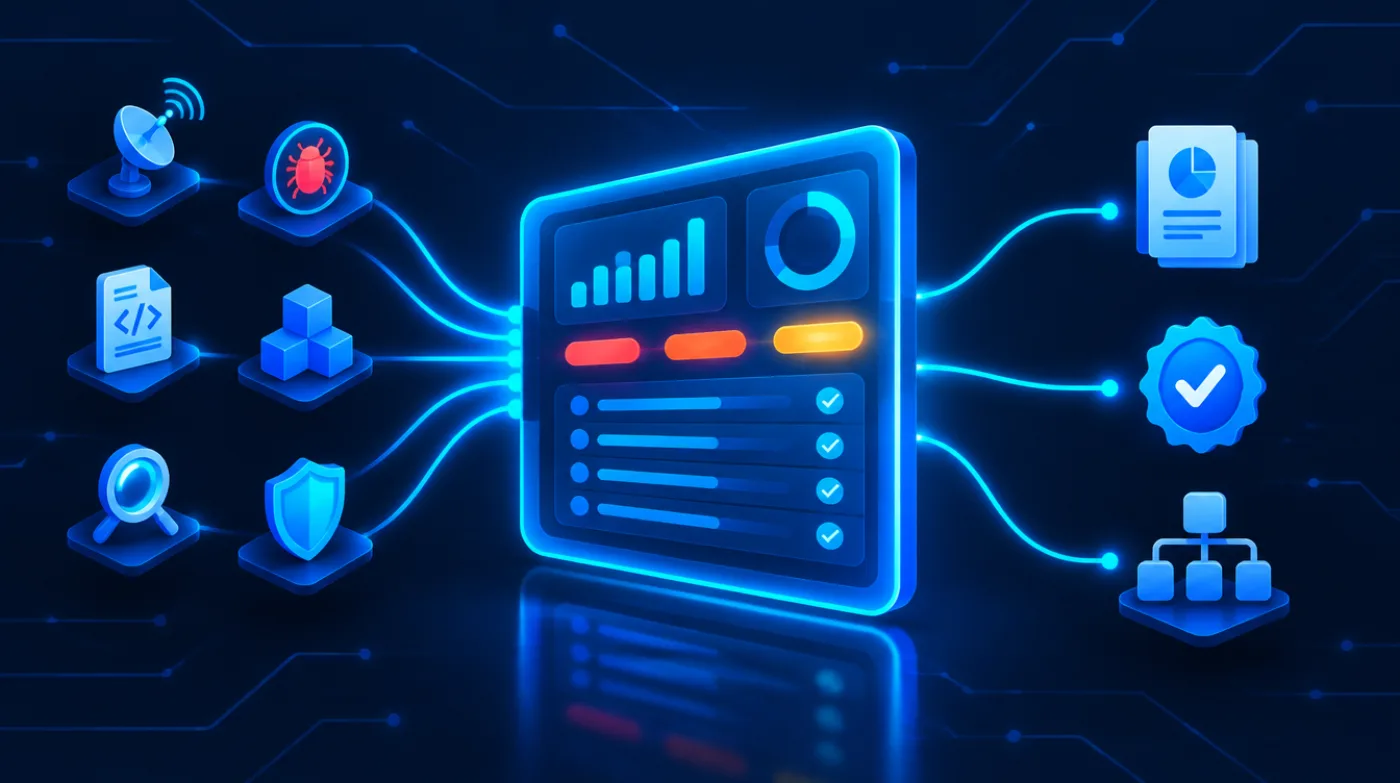
When you hire us for an audit, you do not get a PDF three weeks later. You get a login. From day one you see the scope exactly as it will be executed; during execution you see every finding on the day it turns up, with its evidence; the report is generated from there instead of being written from scratch; and when the project ends, the platform does not switch off: it stays on as your security and compliance management tool, with all the audit work already inside.
That platform is KOMPLIANCE, the vulnerability and compliance management module of 0data. It grew out of a need of our own (delivering audits without the results dying in an email attachment) and ends up solving the client's, which is the same one a year later: knowing what is open, who owns it and whether it was really fixed.
First, it is the control room for your audit
The difference starts before the first test. The scope is loaded into the platform and is visible to both sides, so if something is missing or should not be there, it gets discussed on day one and not at the results meeting. From then on, each finding goes in as it is found.
The six phases of an audit in KOMPLIANCE and what the client sees in each one as it happens. 01 Scope and kickoff: the agreed scope is loaded with assets, exclusions and testing windows, and the client can object on day one; milestone, rules of engagement signed and visible to both sides. 02 Execution, live: findings go in as they appear, with evidence and reproduction steps, and the client sees a critical on the day it is found; milestone, immediate notice of anything critical before any deliverable. 03 Report: generated from the findings already in the platform, and the client downloads the technical report, executive report, attestation letter and SBOM whenever they need them; milestone, reproducible deliverables. 04 Remediation: direct access to the analyst who found each issue, with tasks that have an owner and a deadline, in Jira if you use it; milestone, a named owner and the SLA clock running. 05 Retest: fixes are verified, and the evidence of the failed attempt is kept alongside the evidence of the one that worked before; milestone, closure only with verification. 06 From here on, it stays: the audit ends but the platform does not, the agents keep watching and the compliance modules take over; milestone, from one-off deliverable to ongoing management without migrating anything. Traceability runs both ways: who saw what and when is logged, on our side too.
What changes with this is not the technical quality of the work, which is the same: it is that the opacity of the three weeks in between disappears. A critical is reported the day it comes up, not when the report is being laid out. And if something has to be stopped or urgently mitigated, you know within hours.
An audit you can only see once it is over forces the client to trust. One you can see while it happens lets them verify.
The report stops being written and starts being generated
An audit report written by hand in a word processor has two problems: it takes time, and it is not reproducible. If three weeks later someone asks why a finding is rated high, the answer lives in the head of whoever wrote it. Here the document is a view of the data, so it always comes out the same and is always traceable back to the original evidence.
What is generated from the same place
- Technical report with findings, evidence and reproduction steps, for the team doing the fixing.
- Executive report with the risk in business terms, for whoever decides the budget.
- Attestation letter with scope and dates, which is what clients and tenders usually ask for.
- SBOM in CycloneDX or SPDX, per product and version.
- Compliance files for ISO 27001, the Cyber Resilience Act (CRA) or the ENS (Spain's National Security Framework), with the evidence already dated.
And they are generated when they are needed. The typical case is a client questionnaire that lands on a Tuesday asking for your latest audit: nobody has to hunt for the file or ask who has the right version.
Agentic auditing: the agents do not start from a blank page
The automated part of our audits is not a scheduled scanner. Before deciding what to test, the agents read what 0data already knows: the live threat model from CyberPanorama (more than six hundred sources cross-referenced in real time), the threat hunting profiles that have already paid off in similar environments, threat modeling on MITRE ATT&CK, and the history of your previous campaigns.
That changes the order of everything else. A sweep without context throws the full catalog at everything and sorts by CVSS; one backed by the threat model first tests the routes attackers are using right now against companies like yours.
Diagram of KOMPLIANCE's agentic auditing and where it gets its context. Sources: CyberPanorama, more than 600 sources cross-referenced in real time, which provides the live threat model (if 90 percent of the month's signals are phishing, the people-focused exercise moves up the priority list); threat hunting profiles, reusable hunting hypotheses that have already paid off in similar environments; threat modeling with 889 observed MITRE ATT&CK techniques, where defense evasion, persistence and privilege escalation account for most techniques and all of them come after the initial intrusion; known exploitation, with continuous cross-referencing against KEV and EPSS; and the client's history of previous campaigns, which makes it possible to tell a regression from a new finding. With that, the orchestrator decides where to start, which ATT&CK techniques to test, which tool to run for each check and when to escalate to an analyst anything that does not fit a known pattern. The contrast: a sweep without context throws the full catalog at everything, sorts by CVSS, returns thousands of lines with the vendor's severity and calls new what was already found last year; a sweep backed by the threat model first tests the routes attackers are using now, sorts by real exposure and criticality, returns contextualized, deduplicated findings and tells a regression apart from a first-time finding. Agentic does not mean autonomous and unsupervised: a critical finding is still signed off by a person.
The agents also work directly against the connected tools, not against their exported reports. In practice, a campaign's reconnaissance phase no longer eats up two weeks: the inventory already exists and is up to date before the manual work begins.
Who sees what: multi-company, multi-product and two roles
Two questions come up in every serious evaluation of a platform like this, and they are almost never answered on a product page. First: if we are a group with subsidiaries and several products, can I keep them separate and still have a consolidated view? Second: is the CFO going to see the same dashboard as the developer?
KOMPLIANCE's access model. Multi-company, multi-product hierarchy: an organization (for example an industrial group) contains companies or subsidiaries, and each subsidiary contains products. With the technical role, the organization shows only the companies the user is assigned to, the subsidiary shows its findings and assets, and each product shows firmware, SBOM, CVEs per component and reproduction steps; a subsidiary without an explicit assignment is not visible. With the administrative role, the organization shows the group's consolidated view with aggregate risk and compliance status, the subsidiary shows KPIs and missed SLAs, and each product shows the status of its compliance file and its open criticals with their age. The technical role (development, IT operations, security) can see the full evidence, change a finding's status, request a retest, ask the analyst questions within the finding and download the SBOM, but cannot accept a risk on behalf of the organization or see other companies without an assignment. The administrative role (management, compliance, procurement) can see KPIs and consolidated compliance, formally accept a risk with a signed justification, export reports and attestations and manage users and permissions, but does not see the exploitable technical evidence and cannot close a finding without a retest. Deployment models: managed SaaS, up and running in days; on-premises, the full platform on the client's infrastructure with no finding ever leaving their network, for banking, defense, healthcare or anyone contractually required to do so; and hybrid, with sensitive data kept inside and threat intelligence coming from outside.
The separation of roles is not cosmetic. The fact that the administrative role does not see the exploitable evidence for each finding is deliberate: a step-by-step reproducible intrusion report has no business circulating around the whole organization. Conversely, the fact that only the administrative role can formally accept a risk (with a justification and a signature) is what makes that decision defensible in front of an auditor.
As for deployment, the short answer is that an on-premises option exists. Managed SaaS is the norm, but in banking, defense, healthcare, or wherever the tender requires it, the entire platform is installed on your infrastructure and no finding leaves your network. That includes hybrid mode, for when what needs isolating is the data but not the threat intelligence.
And when the audit ends, the platform stays
This is where the second half begins, and where the product stops being our way of delivering and becomes your management tool. The reason is simple: the problem the audit solves is a one-off, but the problem the platform solves is permanent.
For clients on our managed security service, this is also where everything accumulates. Every exercise feeds the same inventory: the January pentest, the March phishing simulation, the June cloud review, ongoing threat hunting and every retest. Instead of a history scattered across twelve reports from twelve different dates, there is a single timeline per asset, which is the only way to answer whether you are doing better or worse than last year without the answer being a gut feeling.
Try this at your company. Ask about the latest critical finding: is it closed? The answer usually takes two days and arrives as an email chain. Someone digs out the pentest PDF, someone checks the tracking spreadsheet, someone asks the developer who worked on it and has since moved to another project. In the end the answer is “we think so”, which in security means “no”.
And it is not for lack of tools. It is precisely the opposite.
The problem is not having too few tools: it is that none of them talk to each other
A mid-sized company that takes security seriously almost always has all of this running at once. And all of it living in different places.
Where your security lives today
- Infrastructure scanning, in a monthly PDF that one person downloads.
- Dependency analysis, in CI output nobody reads unless it breaks the build.
- The annual pentest, in a report sent by email with its tracking spreadsheet attached.
- SAST, in the repository tab with two hundred alerts open since 2024.
- The cloud review, in a screenshot someone pasted into a document.
- The ISO statement of applicability, in a spreadsheet updated two weeks before the audit.
- The SBOM, nowhere, until a client or the CRA asks for it in writing.
Each piece is fine on its own. The whole does not exist. Nobody has the full inventory of what is open, nobody knows how long it has been open, and the question of whether something was really fixed gets answered on trust rather than evidence. The cost of that does not show up on the tooling invoice: it shows up in the hours spent coordinating, and in the findings that stay open because they belonged to no one.
A vulnerability with no owner, no deadline and no verification is not a managed finding. It is a note.
Everything comes in through the same door, with no copy-pasting of output
The first question any technical team asks is whether they will have to change tools. No. What you already use stays in use: what changes is where its output ends up. Nessus, Nuclei, Burp Suite, Nmap, Black Duck and GitHub connect directly, and with them the rest of the usual ecosystem.
Catalog of KOMPLIANCE's 69 connectors, grouped into fourteen families. Infrastructure and network: Nessus, OpenVAS, Nmap, Masscan, Greenbone. Web, API and application: Burp Suite, Nuclei, OWASP ZAP, httpx, ffuf. Source code: Semgrep, SonarQube, CodeQL, Bandit, gosec. Dependencies, SBOM and licenses: Black Duck, Trivy, Syft, Grype, Dependency-Track, OSV. Repository and build: GitHub, GitLab, Bitbucket, Jenkins, GitHub Actions. Attack surface and reconnaissance: Amass, subfinder, Shodan, crt.sh, dnsx. Cloud and containers, with configuration reviewed continuously: AWS, Azure, Google Cloud, Kubernetes, Terraform. Office and collaboration: Microsoft 365, Google Workspace, Entra ID, Exchange, Drive. Detection and response: Wazuh, EDR, SIEM, Sysmon. External OSINT monitoring: leaks, exposed credentials, brand mentions, lookalike domains, certificates, public repositories. Mobile, firmware and hardware: MobSF, apktool, Binwalk, Ghidra, radare2. Exploitation intelligence: CISA KEV, EPSS, NVD, Exploit-DB, CyberPanorama. Outputs: Jira, Slack, Telegram, Teams, Wazuh, Splunk, Elastic and webhooks. Anything not on the list comes in through the API.
What matters in that list is not the names but what happens after ingestion: the output of nine tools with nine different severity scales becomes a single, comparable inventory. Without that, having ten integrations just means having ten reports on the same screen, which is the same problem with a nicer design.
Continuous auditing of what you already use, with no separate project
There is a part of compliance that an annual pentest does not cover, because it is not about vulnerabilities: it is about configuration. And the configuration of the tools your staff work in changes every week, almost always without anyone writing it down.
What gets reviewed automatically, continuously
- Microsoft 365 and Google Workspace: inherited permissions, delegated mailboxes, files shared via public link, forwarding rules, accounts without two-factor authentication and too many admins.
- Identity: orphaned accounts, credentials that never expire and access that outlived someone's departure.
- Cloud: AWS, Azure and Google Cloud accounts checked against the provider's benchmark guides and industry frameworks, with each finding mapped to the control it breaches.
- Containers and infrastructure as code: what is about to be deployed, reviewed before it is deployed, not after.
The difference from commissioning a one-off review of each thing is that the finding is not born in isolation: it is born with the breached control already attached. A shared folder with a public link is not just a misconfiguration; it is evidence that fills a gap in ISO 27001 Annex A and in ENS Annex II at the same time.
And in the other direction, anything exploitable goes where you are already watching. There are connectors for Wazuh and for several EDRs: whatever the platform considers exploitable becomes a rule or an alert inside your detection tool, instead of sitting on yet another dashboard someone has to remember to open.
What can be seen of you from the outside
Everything above looks inward. The missing half is what the attacker sees first and you usually do not: what you have exposed without knowing it, which of your credentials are already circulating in a dump, who is registering domains similar to yours and what is being said about you in places nobody looks.
KOMPLIANCE's external monitoring dashboard, a continuously collecting OSINT layer, with sample figures and four selectable fronts. Exposed surface, 128 assets seen from outside: it watches new domains, subdomains and certificates, ports and services opened without anyone signing off, admin panels reachable from the internet and staging environments published by mistake; a new subdomain resolving to an already-controlled service is logged without fuss, while an admin panel or staging environment reachable from the internet triggers an alert. Leaks and credentials, 14 appearances this quarter: it watches corporate credentials in dumps and marketplaces, keys and tokens published in repositories, internal documentation on open file-sharing services and customer data offered on forums; a corporate address in an old breach that has already been rotated is logged, while a valid credential belonging to someone with remote access and no two-factor authentication triggers an alert. Mentions and impersonation, 6 active lookalike domains: it watches lookalike domains and their content, profiles posing as the company, brand mentions on threat actor forums and channels, and mobile apps published in your name; a lookalike domain with no content or mail configured is logged, while one with a cloned login page or active mail records triggers an alert. Behavior, 3 patterns tracked: it watches logins from locations and at times unusual for that user, changes to permissions and email forwarding rules, mass downloads and access to documentation repositories, and correlated EDR and log collector signals; an after-hours login by someone who routinely works those hours is logged, while a forwarding rule created right after a login from a new location triggers an alert. The value is not in the count but in the alerting criteria: a dashboard that alerts on everything gets muted within two weeks.
Look at the right-hand column of the dashboard, because it is the only one that matters. Buying four different monitoring services leaves you with four sources of alerts that nobody correlates. Here the criteria are shared and wired into the inventory: a leaked credential belonging to someone with remote access and no two-factor authentication is not the same alert as the same credential belonging to someone with limited access, and the platform knows which is which because it has the inventory in front of it.
That is what the behavior layer does: it does not alert on every event, only on the combination that matters. A login from a new location is a log line; a login from a new location followed by the creation of an email forwarding rule is a phone call. The dashboard's stated purpose is not to show you data: it is to tell you when you need to act.
Triage: from four thousand alerts to nine decisions
This is where the real work is. A client with nine active sources generates thousands of findings per quarter, and the value is not in displaying them all nicely: it is in the cuts that leave nine on the table. Each cut has a criterion that can be debated, which is why it is shown.
KOMPLIANCE's triage funnel, with data from a sample campaign. In come 4,812 raw findings from nine sources, unnormalized and with incomparable severities. After deduplication and correlation, 1,203 remain, a 75 percent reduction, because three different tools see the same flaw and it takes a single fix. Filtering for what applies to the actual version and configuration leaves 418. Prioritizing by context (real exposure, asset criticality and EPSS exploitation probability, with CVSS v4 as the baseline rather than the verdict) leaves 64. With known exploitation, that is, listed in the CISA KEV catalog or with a public exploit, 9 remain. And those 9 get a named owner, a severity-based SLA and a mandatory retest before they can be closed. The engine makes the first four cuts; an analyst signs off the last two.
Look at the fourth cut, which is where almost every platform falls short. CVSS measures the technical severity of a vulnerability in the abstract, not its risk to your company. A 9.8 on an internal service with no internet exposure weighs less than a 7.5 on the portal your customers log into. Deciding that requires combining three things no public database knows: what is really exposed, what data each asset touches and how much it hurts if that asset goes down.
What the analyst adds that the engine does not
- Ruling out a CVE because the vulnerable module is not compiled into your build, which is not the same as it not appearing in the advisory.
- Chaining two medium findings that together give full access, something no individual score reflects.
- Deciding that a high severity can wait three weeks because there is a real mitigation at the perimeter, and putting it in writing.
- Signing off that something is critical, which is a statement with consequences and therefore carries a name.
An SBOM is only useful if something watches it every day
A component inventory has become an obligation: Annex I of the Cyber Resilience Act requires it of manufacturers, and client questionnaires were asking for it even before that. The problem is that most SBOMs are a CycloneDX file produced to tick a box, attached to an email and out of date the moment it is signed.
A monitored SBOM is something else. It is the inventory continuously cross-referenced against three sources: known vulnerabilities, the CISA KEV catalog (the record of what is actually being exploited out there) and each component's license, which is the part nobody looks at until legal asks whether that can be redistributed inside a closed-source product.
KOMPLIANCE's SBOM dashboard, with sample data for an inventory of 412 components in CycloneDX 1.6 format, continuously cross-referenced against the CISA KEV catalog. Three indicators: 2 components being exploited right now, 3 with a strong copyleft license and 2 with no patch available upstream. The table lists each component with its version, fixed version, license, associated CVE, EPSS score, active exploitation flag and where in the product it lives. Examples: log4j-core 2.14.1 with CVE-2021-44228, EPSS 0.94, in KEV, present in the backend; spring-beans 5.3.17 with CVE-2022-22965, EPSS 0.97, in KEV, in the public API; busybox 1.31.1 under the GPL-2.0 license in the firmware; u-boot 2020.04 with no patch available in the bootloader; ffmpeg 4.2.4 under the GPL-2.0-or-later license in the mobile app. You can filter by what is in KEV, by license risk and by what has no patch.
The practical difference between the two shows up in a single question: when a CVE is being exploited at scale, how long does it take you to know whether it affects you?
| SBOM as a file | Monitored SBOM | |
|---|---|---|
| Does today's CVE affect us? | Someone searches the repositories by hand | Immediate answer, with the component and service flagged |
| When it is updated | When a client asks for it | On every build, per product version |
| Licenses | Nobody reviews them until legal raises a flag | Strong copyleft flagged in anything redistributed |
| Active exploitation | You find out from the press | Continuous cross-referencing against the KEV catalog |
| Value for the CRA | An attachment that ticks the box | Living technical documentation, traceable per version |
The agentic layer: what happens between campaigns
A pentest is a snapshot of a moment. It is valuable, but a company's attack surface changes every week: someone publishes a subdomain, someone updates a dependency, someone exposes an admin panel “for a bit” to debug something and it stays there for six months. Between one campaign and the next there are eleven months in which, traditionally, nobody is looking.
That is what the agents cover, and they are the same ones that work during the audit: the same 0data context, the same orchestration, just with no end date. Each one has a narrowly defined task, a cadence and (this is what matters) a written, declared limit on what it decides on its own and what it escalates to a person. An agent without that limit is not an advantage; it is a black box nobody is going to trust with prioritizing their risk.
KOMPLIANCE's six agents, each with its cadence, what it does, what triggers it and what it escalates to a person. Attack surface agent (daily): rediscovers exposed subdomains, ports and panels; escalates any admin service reachable from the internet. SBOM agent (on every build): regenerates the inventory per product and version and compares it with the previous one; escalates licenses incompatible with how the product is distributed. KEV and exploitation agent (continuous): cross-references the inventory against the CISA KEV catalog and EPSS scores every time they change; always escalates, with immediate notice. Triage agent (per batch): deduplicates, correlates with history and proposes a contextual severity with its reasoning visible; escalates everything it proposes as critical. Evidence agent (continuous): collects and dates access reviews, restores, training and incidents; escalates mandatory controls that are in the red less than 60 days before an audit. Retest agent (when an item is marked fixed): reruns the automatable check and alerts if the attack vector still works. Underneath, the human line: the analyst who found the flaw answers, not a generic account; no agent accepts a risk, closes a critical finding or signs off that a control is compliant.
The cumulative effect is the one that shows up on the following year's invoice: the pentest campaign no longer starts with two weeks of discovery, because the inventory is already there and up to date. And the easy findings (the exposed panel, the dependency with a public CVE) get closed when they appear, not eleven months later in a hundred-page report.
Real-time compliance: ISO 27001, the CRA and the ENS on the same evidence
This is the part almost nobody brings together, and it is the one that saves the most hours. The three frameworks that intersect in a Spanish company (ISO 27001 because a client requires it, the CRA because you make connected products, the ENS because you sell to the public sector) ask for evidence of the same things in different words.
The same work, three compliance files
- Technical vulnerability management: ISO control A.8.8, CRA Annex I Part II, ENS operational measures.
- Asset and component inventory: ISO A.5.9, the mandatory SBOM under the CRA, the ENS operational framework.
- Incident logging and reporting: A.5.24 onward, the CRA Article 14 clock, and notification to CCN-CERT.
- Continuity and tested backups: A.5.29 and A.8.13, availability under the ENS, resilience under the CRA.
- Supplier management: A.5.19 to A.5.22, supply chain under the CRA, third parties under the ENS.
When that evidence lives on the same platform, an access review done once counts toward all three compliance files at the same time. And the compliance percentage stops being an estimate someone types in on a Friday: it is derived from whether the evidence for each control is fresh within its own review cycle.
KOMPLIANCE's three compliance modules in tabs, with sample percentages of controls backed by live evidence. ISO 27001 module (ISO/IEC 27001:2022, clauses 4 to 10 and Annex A with 93 controls), 78 percent: it tracks the living statement of applicability, control A.8.8 on technical vulnerabilities fed from the findings manager, the internal audit (9.2) and management review (9.3) cycle, and supplier management; it automatically collects evidence of access reviews, tested backup restores, training with attendance and the incident log; it exports the SoA, a report for the auditor and the risk treatment plan; next surveillance audit in 74 days. CRA module (Regulation (EU) 2024/2847, Annex I Parts I and II), 61 percent: it tracks the SBOM per product and version, the Article 14 clock with its 24-hour early warning, 72-hour notification and 14 days for the final report, the declared support period and the coordinated disclosure policy; it exports the SBOM in CycloneDX or SPDX, technical documentation and a draft notification. ENS module (Royal Decree 311/2022, Annex II), 84 percent: it tracks measures by basic, medium or high category, risk analysis with MAGERIT, the compliance profile and the periodic penetration tests required for the high category; it exports the declaration of conformity, the compliance profile and the audit report.
One important caveat, because this is where software gets oversold: this does not certify you. ISO and ENS certificates are issued by an independent accredited body, and CE marking under the CRA follows its own conformity assessment route. What the platform does is have everything that audit will ask for ready and dated, which is exactly the part that usually gets done at the last minute and badly.
The document brain: ask instead of search
Any management system generates a mountain of documents, and the problem is never writing them: it is that six months later nobody knows which version is approved, what that supplier's contract said about breach notification, or what we promised that client in a sixty-question questionnaire. Hundreds of files gathering dust.
The platform indexes all that documentation (policies, contracts, minutes, reports, compliance files, the applicable regulations) in a RAG with a local model and connects it to the agent. It stops being a shared folder and becomes something you can ask questions.
KOMPLIANCE's document brain: compliance documentation indexed in a RAG with a local model and connected to the agent, with real sample questions and the source cited in every answer. Questions such as: do we have an approved remote work policy, and since when? (it answers with the policy in force, the committee minutes and the record of communication to staff, and flags when it is due for review); what does this supplier's contract say about breach notification? (it returns the verbatim text of the clause, the data processing agreement and the supplier record); what evidence do we have of technical vulnerability management this year? (campaigns run, dated reports, closed retests and the patch log, sorted by date); was this finding already in last year's report? (it flags it as a regression if it was closed and has come back); does the CRA require us to declare a support period for this product? (it cross-references the product record with the regulation and returns the applicable article); what did we promise this client in the security questionnaire? (the answers sent, with dates, and whether any have drifted from reality). It indexes policies and procedures with their version and approval date, in-house and third-party audit and pentest reports, contracts and data processing agreements, the statement of applicability and compliance files, committee and management review minutes, regulations and regulator guidance, and completed client questionnaires. No source, no answer: if the documentation does not say it, the agent replies that it does not say it. The model runs on the same infrastructure as the platform, so policies, contracts and intrusion reports are not sent to a third-party AI provider, which is what makes on-premises deployment possible.
There is one detail that decides the purchase in regulated sectors: the model runs on your infrastructure. Your policies, your contracts and your intrusion reports do not travel to a third-party AI provider. That is what makes it possible to index documentation that would otherwise not be allowed to leave your network, and what keeps the document brain available in an on-premises deployment.
The other half of the value lies in who is asking. The administrative side uses it to prepare for an audit or reply to a client; legal, to find out what we signed; the technical team, to avoid redoing work that has already been done. The same document base answering three different kinds of question.
A retest is the only way to close anything
Back to the question we started with. The reason “is it closed?” has no answer in most companies is that the cycle ends when the developer marks the task as done. That is not closure: it is a statement of intent. Closure is someone trying the attack again and failing.
And “retest” does not mean the same thing everywhere, which is where almost all mid-project scope disputes come from. Verifying a firmware flaw requires extracting the image again; verifying it in an API means rerunning a collection of requests; verifying it in hardware requires new units from the fixed batch, plus logistics. The timeline and the closure evidence change completely.
KOMPLIANCE's retest selector by surface, showing what is checked, what evidence closes the finding, the usual timeline and where retests tend to fail. Firmware: the published image is extracted again and compared with the previous one, verifying that the component's version really went up, that secure boot still validates and that no keys were reintroduced; closed by the diff between hashed images; 3 to 5 days; if the fix arrives as a source patch rather than a signed image, no retest is possible. Apps and web: the flow is repeated with the same roles, variants of the same pattern are tested on other endpoints and the control is checked to be enforced server-side and not only in the interface; closed by a capture of the failed attempt with the full request; 1 to 3 days; half of the failures come from fixing the screen and not the server-side check. Hardware: the original test is repeated on a unit from the fixed batch, verifying that the debug interface is closed and that the declared countermeasures hold; 1 to 2 weeks, because logistics weigh more than the analysis; new units are needed and the tests can leave them unusable. Cloud: the live configuration is reviewed, not the template, checking that the excessive permission is gone in the real account, that no orphaned resources remain and that the change is in the baseline; closed by the output of the automated check before and after; hours; fixing it by hand in the console instead of in the infrastructure code guarantees the flaw comes back. Backend and API: the fixed endpoint and its neighbors are reviewed, because the pattern is never in just one place, checking authorization on every method and that the identifier no longer gives access to another client's data; closed by a reproducible collection of requests; 1 to 3 days; tenant isolation is where the most retests fail.
When the retest is part of the cycle, rather than a line item bought separately and forgotten, the metric that emerges on its own is the one that truly measures whether a security program works: how many critical findings have been open for more than thirty days. That number, not the total count, is the one you show the committee.
Legal, compliance and cybersecurity support
A security platform gets two kinds of question. The technical ones (“why is this exploitable if we have a WAF?”) and the others, which almost always arrive with more urgency: a client has sent a sixty-question questionnaire, the auditor is asking for evidence you are not sure you have, someone on the committee wants to know in one sentence whether we are worse off than last year.
Both are support, and both are answered by people who have been on the other side: whoever found the flaw answers the first, and someone who has been through a certification audit answers the second. There is no first-line tier filtering requests, no generic account and no assistant that hands you back the manual reworded. That is the part of the product that cannot be automated, and the reason the agents have their stopping points written down.
And there is a third kind of question that almost never has anyone to go to: the legal one. What we signed in that security annex, whether a notification clause obliges us to report in this specific case, what a data processing agreement implies when the supplier subcontracts, whether that tender's specifications require a certificate or just alignment. That line is covered too, and it draws on the document brain: the answer comes with the cited document alongside it, not as an opinion.
The value of a security dashboard is not in the dashboard. It is in the fact that, when something turns red, there is someone on the other end who knows what to do and can tell you today.
What it does not do, so nobody gets a surprise
This is the section missing from almost every product page, and the one that builds the most trust when it is there.
- It is not a SIEM or an EDR. It does not detect an attacker in action: it feeds whatever is exploitable into the SIEM you already have. They are different layers of the same problem.
- It does not replace manual pentesting. No integration finds a business logic chain or a tenant isolation flaw. The platform is where the finding lives, not what finds it.
- It does not certify you. ISO 27001 and the ENS are certified by an independent accredited body; the CRA has its own conformity route.
- It does not accept risks for you. An agent proposes a severity; accepting a risk is a business decision and carries a person's signature.
- It does not fix the code. It prioritizes, assigns, verifies and keeps a record. Fixing is still the development team's job, the difference being that they now know what to fix first.
Where to start
The usual entry point is an audit. You commission the pentest or review you needed anyway, and the platform comes with it: the scope, findings, report and retest already live inside, with no setup cost or later migration. When the project ends, you already have the inventory and the history, which is exactly what is hard to build from scratch.
If you would rather start with the platform without an audit, the order is reversed: first the inventory (which assets you have and what components they contain), because without it no triage holds up, and then two or three tools you already use, to see deduplication on your own data. The compliance modules are switched on depending on what applies to you, and on-premises deployment is decided at this stage, not later.
If what you are facing is a certification or a security master plan, the ISO 27001 scoping form and master plan captures, in ten sections, your starting point, the scope, the real maturity of your controls and the deliverables, and it distinguishes between being already certified and starting from zero, because they are not the same job. If what is due is a testing campaign, the pentesting scoping form does the same for assets and boundaries.
Coverage of all your infrastructure and all your products in one place, without setting it up turning into yet another project to manage.
And if you would rather see it before reading anything else: half an hour with your own data on the table makes things clearer than any product page, this one included.
Related service
continuous vulnerability assessment
Topics
#Security-audit #Vulnerability-management #SBOM #CISA-KEV #Compliance #ISO-27001 #Cyber-Resilience-Act #Autonomous-agents
Keep reading
- A badly scoped pentest isn't cheap: it's useless
- Cyber Resilience Act reporting is now mandatory: what has changed and what to do this quarter
- European compliance calendar 2026-2030: CRA, AI Act, Data Act and everything still to come
- Artificial Intelligence and Cybersecurity for Business
- Spec-Driven Development: the end of vibe coding, and why your AI needs a signed contract before it touches your repo